Stoolap Desktop
Stoolap Desktop is a native database client for Stoolap on macOS, Linux and Windows. The engine is linked into the app as a Rust crate, so there is no server to run and no driver to configure, and the whole app is a small download. A built-in SQL assistant writes, fixes and explains SQL for the database you have open.
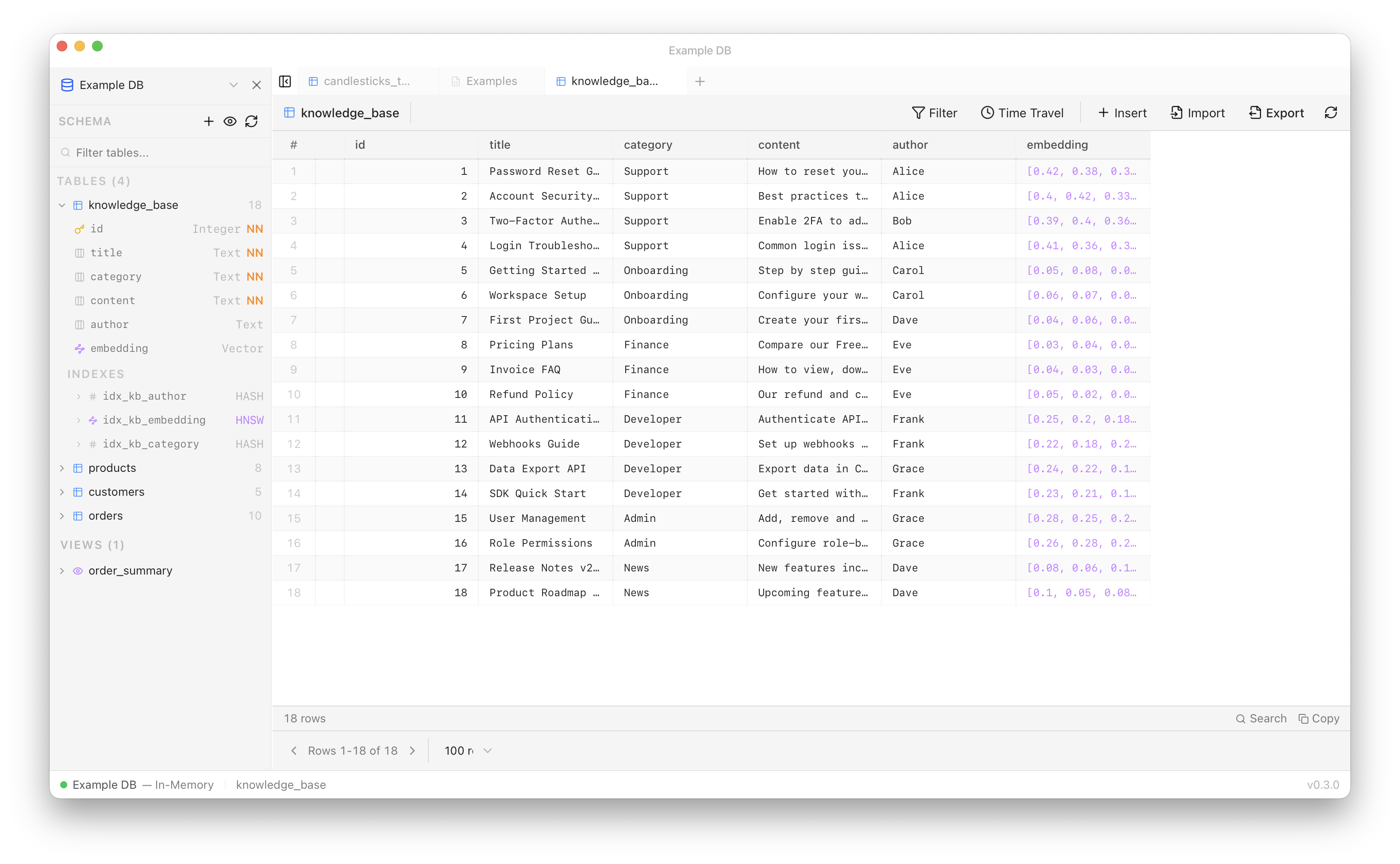
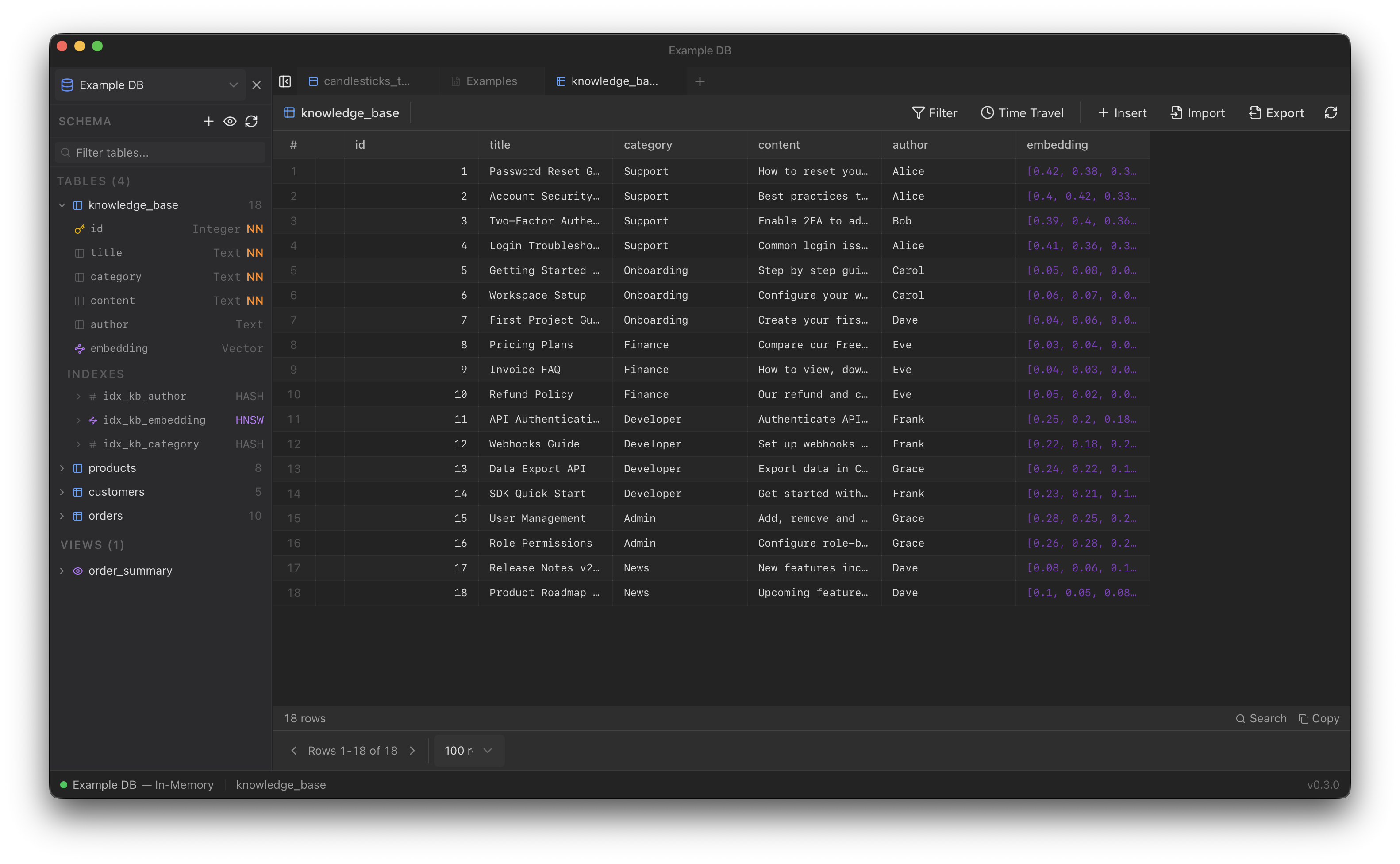
Download
Get the installer for your system from the latest release:
| Platform | File |
|---|---|
| macOS, Apple Silicon | Stoolap.Desktop_<version>_aarch64.dmg |
| macOS, Intel | Stoolap.Desktop_<version>_x64.dmg |
| Windows 10 / 11 | Stoolap.Desktop_<version>_x64-setup.exe (or the .msi) |
| Debian / Ubuntu | Stoolap.Desktop_<version>_amd64.deb |
| Fedora / RHEL | Stoolap.Desktop-<version>-1.x86_64.rpm |
| Any Linux | Stoolap.Desktop_<version>_amd64.AppImage |
Stoolap Desktop 0.5.1 runs the Stoolap 0.5.0 engine. Installed apps check for updates on launch and show what changed before installing; every update is signed and verified.
Features
- SQL editor with tabs, Stoolap syntax, schema-aware autocomplete and formatting. A script of several statements shows each statement’s result in its own tab.
- SQL assistant in a side panel (
Cmd/Ctrl+L) that works in a query tab: it writes SQL into the editor, runs it there and reads the result. Queries that only read run on their own; changes to data run only when you allow writes for that database. It uses your local Claude Code, your Anthropic account or an API key, or ChatGPT through your local Codex or an OpenAI API key, and it carries a guide to Stoolap’s SQL dialect plus this documentation. - Schema browser for tables, views, columns, indexes and foreign keys, with right-click actions (View Data, Show DDL, Create Index, Alter, Truncate, Drop).
- Data grid that stays fast on large tables, with sorting, filters, inline editing, foreign key navigation and
AS OF TIMESTAMPtime travel. - Vector search dialog for HNSW k-NN queries, with distance bars and vector heatmaps.
- Visual table, view and index builders, including HNSW parameters.
- EXPLAIN plan viewer and a query timeout in the status bar.
- Backup and restore as a SQL dump, streamed to and from disk, with index types and HNSW parameters kept.
- CSV and JSON export (streamed) and import (through
COPY FROM). - Native app: system light and dark appearance and accent color, native menus and file dialogs, drag and drop, Open Recent, notifications for long operations, and saved window state.
Quick Tour
Open a Database
Use Open Database… (Cmd/Ctrl+O) to open a database folder, New In-Memory Database (Cmd/Ctrl+N) for a scratch database, or Load Example Database for sample tables, views, indexes and queries. You can also drop a database folder on the window.
Run Queries
Type SQL in the editor and press Cmd/Ctrl+Enter. Results appear in the grid below. Cmd/Ctrl+E runs EXPLAIN and shows the plan.
Ask the Assistant
Press Cmd/Ctrl+L and ask in your own words, for example “Show the top 5 customers by total spend” or “Why is this query slow?”. The SQL appears in the tab as it is written. Type @ to insert a table or column name. After a query error, Fix with assistant sends the error to it.
Search Vectors
Right-click a table with a VECTOR column and choose Vector Similarity Search. Pick the column, a metric and a query vector, set k, and run it. Right-clicking an HNSW index inserts a k-NN query template into the editor.
Keyboard Shortcuts
| Shortcut | Action |
|---|---|
| Cmd/Ctrl + Enter | Execute query |
| Cmd/Ctrl + E | Explain query |
| Cmd/Ctrl + L | Toggle the assistant |
| Cmd/Ctrl + Shift + F | Format SQL |
| Cmd/Ctrl + O | Open a database |
| Cmd/Ctrl + N | New in-memory database |
| Cmd/Ctrl + T | New tab |
| Cmd/Ctrl + W | Close tab |
| Ctrl + Tab / Ctrl + Shift + Tab | Next / previous tab |
| Cmd/Ctrl + B | Toggle sidebar |
| Cmd/Ctrl + F | Search in results |
| Cmd/Ctrl + ? | Shortcuts help |
Building from Source
Requires Rust (stable) and Node.js 22, plus the Tauri prerequisites for your system.
git clone https://github.com/stoolap/stoolap-desktop.git
cd stoolap-desktop
npm install
npm run dev     # development
npm run build   # installers in src-tauri/target/release/bundle
Tech Stack
| Component | Technology |
|---|---|
| Shell | Tauri 2 (system WebView, Rust backend) |
| Database | stoolap crate, linked in-process |
| Frontend | React, TypeScript, Vite |
| Editor | CodeMirror 6 |
| UI | Radix UI, Tailwind CSS |